


Best Free Embroidery Digitizing Software in 2026
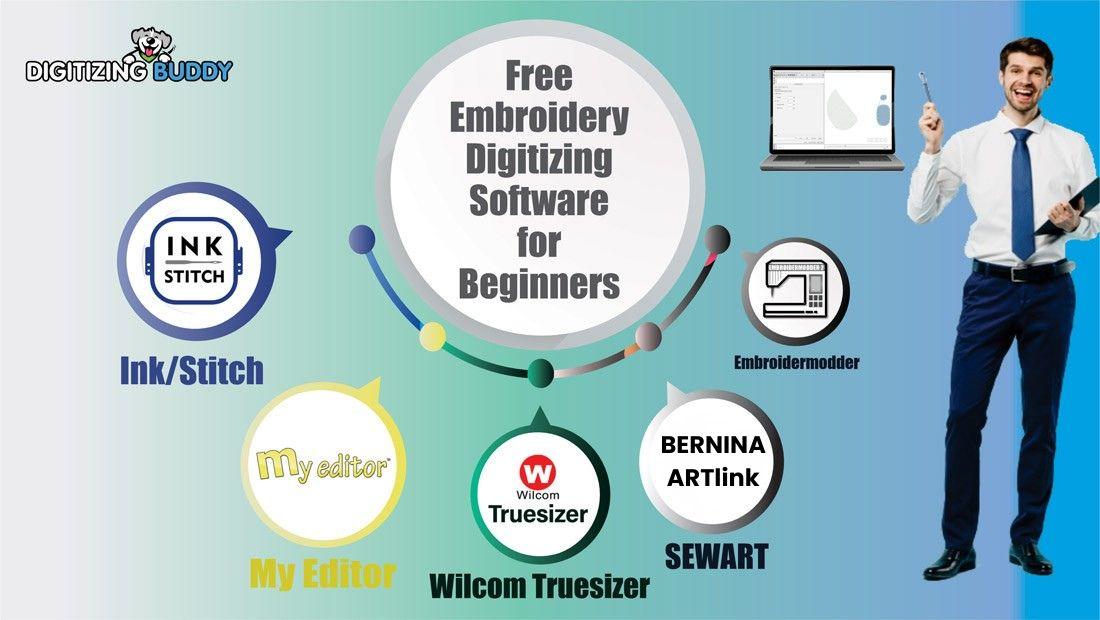
Best Free Embroidery Digitizing Software
Ever tried turning a simple image into a clean embroidery design… and ended up with a messy stitch file instead? You’re not alone.
Embroidery digitizing can feel tricky at first. But the good news is—you don’t need expensive tools to get started. There are some best free embroidery digitizing software options that can help you create decent designs without spending a rupee.
In this guide, I’ll walk you through the top free tools, what they offer, and how to pick the right one for your needs.
Why Use Free Embroidery Digitizing Software?
Before we jump into the tools, let’s keep it simple.
Free digitizing software is perfect if you:
-
Are just starting your embroidery journey
-
Want to practice before investing in paid tools
-
Need basic digitizing features for small projects
Think of it like learning to drive—you don’t buy a luxury car on day one.
Features to Look for in Digitizing Software
Not all free tools are created equal. Here are some must-have features:
Basic Digitizing Tools
-
Manual stitch creation
-
Path editing
-
Fill and satin stitch options
File Format Support
-
Common formats like DST, PES, EXP
Preview Options
-
Stitch simulation
-
Thread color preview
User-Friendly Interface
-
Easy navigation
-
Simple controls for beginners
Best Free Embroidery Digitizing Software Options
Let’s explore some of the most useful tools you can try today.
1. Ink/Stitch (Extension-Based Tool)
This is one of the most popular free tools out there.
Key Features:
-
Works as an extension for vector design software
-
Converts vector art into embroidery stitches
-
Supports multiple stitch types
-
Active community support
Best For:
Beginners who are comfortable with basic graphic design.
2. SewArt (Free Trial Option)
While not fully free forever, it offers a trial that’s worth exploring.
Key Features:
-
Auto-digitizing from images
-
Image editing tools
-
Simple interface
Best For:
Quick conversions from images to embroidery files.
3. My Editor (Editing Software)
This tool focuses more on editing than full digitizing.
Key Features:
-
Resize, rotate, and adjust designs
-
Change thread colors
-
View stitch simulation
Best For:
Editing and refining existing embroidery files.
4. Bernina ArtLink (Basic Utility Tool)
A simple tool for viewing and minor edits.
Key Features:
-
Design preview
-
Basic adjustments
-
File conversion
Best For:
Users who need a lightweight viewer/editor.
Free vs Paid Digitizing Software
Let’s be honest—free tools are great, but they have limits.
Free Software Pros:
-
No cost
-
Good for learning
-
Enough for simple designs
Free Software Cons:
-
Limited features
-
Less automation
-
Slower workflow
If you’re running a business or want professional results, consider upgrading later.
Pro Tips for Better Digitizing Results
Even the best free embroidery digitizing software needs skill to shine.
Keep Designs Simple
Start with basic shapes and fewer colors.
Use Clean Artwork
High-quality images give better results.
Avoid Too Many Stitches
Over-digitizing can ruin fabric and design quality.
Test Before Final Stitching
Always run a sample on scrap fabric.
How Digitizing Buddy Can Help
If you ever feel stuck or want professional-level results, Digitizing Buddy can save your time.
Instead of struggling with complex designs, you can:
-
Get clean, production-ready files
-
Avoid costly mistakes
-
Focus on growing your embroidery business
It’s like having an expert by your side.
Conclusion
Finding the best free embroidery digitizing software doesn’t have to be confusing.
Start simple. Learn the basics. Practice regularly.
Free tools are powerful enough to get you started, but your skill is what truly makes the difference. As you grow, you can always upgrade or outsource when needed.
The key is to begin.
FAQs
1. What is the best free embroidery digitizing software for beginners?
Ink/Stitch is one of the best options for beginners because it offers solid features and strong community support.
2. Can I digitize embroidery designs completely for free?
Yes, but with limitations. Free tools allow basic digitizing, but advanced features are usually in paid software.
3. Is auto-digitizing reliable in free software?
Auto-digitizing works for simple designs, but manual adjustments are often needed for clean results.
4. Which file format is best for embroidery machines?
DST and PES are among the most commonly used formats for embroidery machines.
5. When should I switch to paid software?
If you’re working on complex designs or running a business, upgrading or using services like Digitizing Buddy is a smart move.

 English
 Arabic
 French
 Spanish
 Portuguese
 Turkish
 Dutch
Dutch
 Italiano
 Russian
 Romaian
 Portuguese (Brazil)
 Greek
Greek